Start the playground
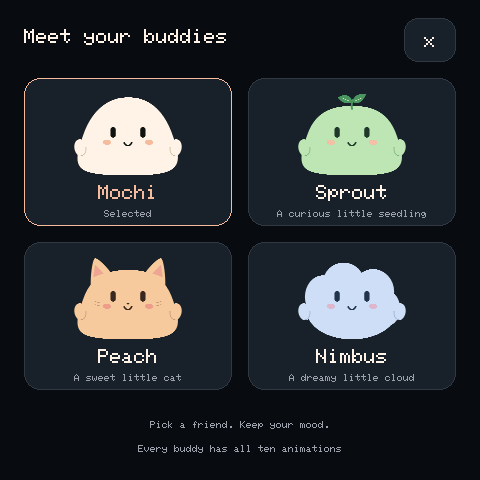
Build and flash the firmware for the Waveshare ESP32-S3-Touch-AMOLED-2.16. Keep the USB connector at the bottom. The selection starts as Mochi after reboot; this example does not save settings persistently.
Touch and physical controls
| Control | Action |
|---|---|
| Character name at top left | Open the four-character picker |
| Choose a mood | Open the ten-state picker |
| Swipe left/right or bottom arrows | Next/previous state |
| Tap the character | Blink while playing |
| Pause / Play in mood picker | Freeze or resume motion |
| Pace | Choose 0.5×, 1×, or 1.5× |
| Tour | Advance every 5.5 animation seconds |
| +/KEY and BOOT/− during the app | Next/previous mood |
| PWR | Board power control |
Opening a picker suspends animation and the tour until you close it. Every character uses the same controls. Firmware pace and tour timing differ from the browser preview.
USB commands
Open a serial monitor at 115200 baud. Send printable ASCII with a newline; CRLF works too. Lines longer than 63 characters or containing nonprintable bytes other than CR/LF are discarded.
| Command | Action |
|---|---|
status |
JSON with readiness, version, character, state, view, memory, and frame timing |
character 0 through character 3 |
Mochi, Sprout, Peach, Nimbus |
state 0 through state 9 |
States in the order listed in Characters & states |
trigger 2 1.5 |
Happy for 1.5 animation seconds, then resume the base state |
cancel |
End a reaction early |
menu characters, menu moods, menu close |
Open or close a picker |
tour on, tour off |
Enable/disable automatic state changes |
pause, play |
Freeze/resume playback |
Triggers accept state numbers 0–9 and finite durations in (0, 86400]. Look for JSON lines among startup and selection logs. Zero FPS is expected while a menu or paused character is static.
Sensors and audio
The board includes an IMU and audio hardware. The adapter currently exposes display, touch, and power initialization; accelerometer reactions, microphone capture, RTC, SD, and audio are not implemented. Speaking and Listening are visual animations.
Troubleshooting
If the display is red, verify the 8 MB OPI PSRAM profile and read the startup log. If touch fails, inspect status for its independent touch flag. A working display does not guarantee the touch controller initialized. Use buttons or USB commands to help isolate input problems. For upload failures, follow Flashing & recovery.